problem statement
Finding a public space is hard for remote workers
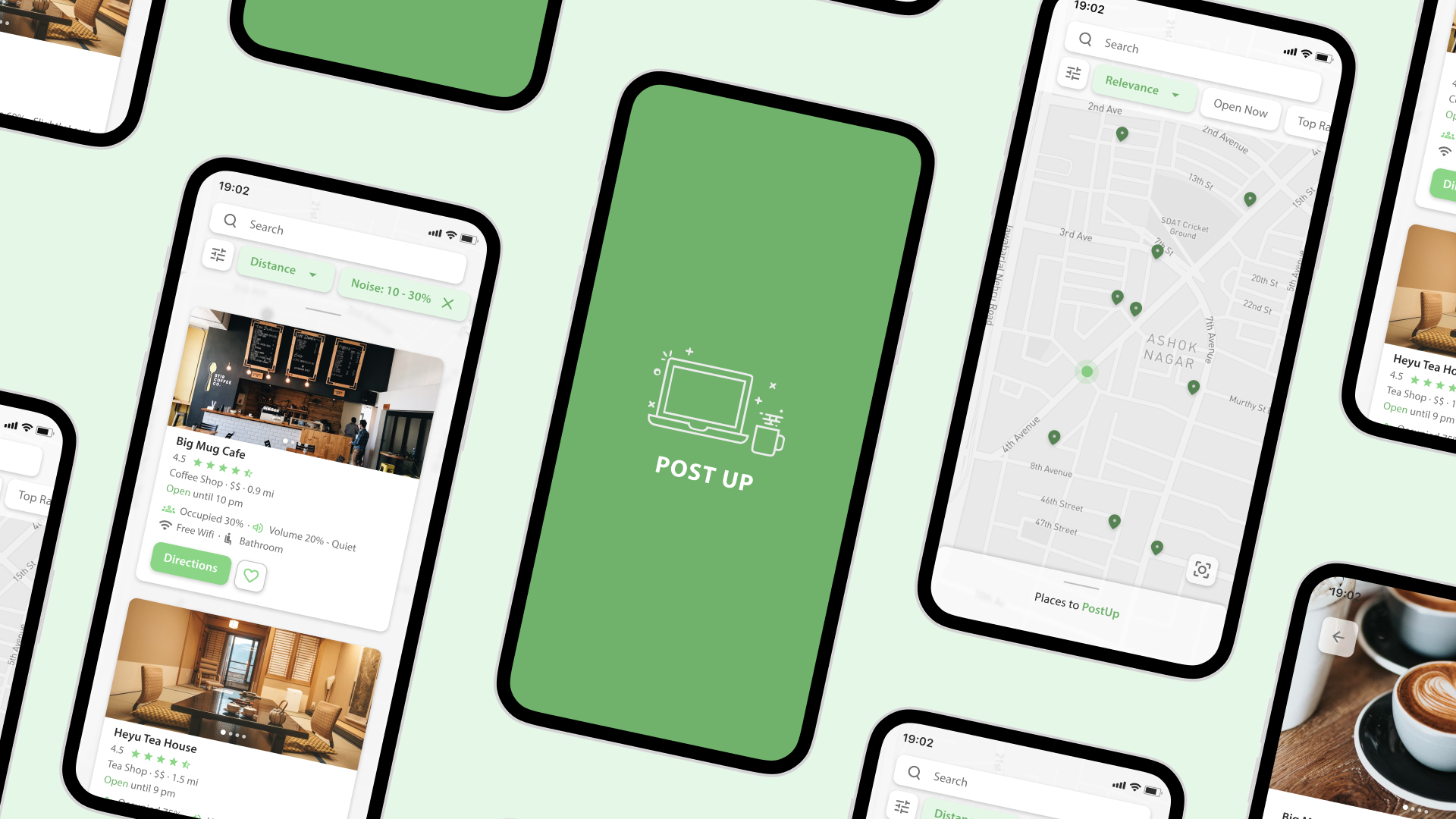
PostUp is a startup centered on remote workers sharing tips and advice with each other. Recently, discussion about finding public spaces to work has been brought up. In order to aid their users, Postup wants to help remote workers find great coffee shops and public places to work remotely from, and I have been tasked to design a solution through a 5 day Design Sprint.
day 1: mapping
Research analysis and synthesizing
My main goal on Day 1 was to find out the main user pain points when finding public work spaces. I synthesized my research using affinity mapping, and construct a basic user flow that would serve as my foundation for the next following days.
Affinity mapping
From comments made by current PostUp users, I identified common user insights that gave me of idea of what my prototype might need to address. I clustered specific insights from users and sorted them thematically.
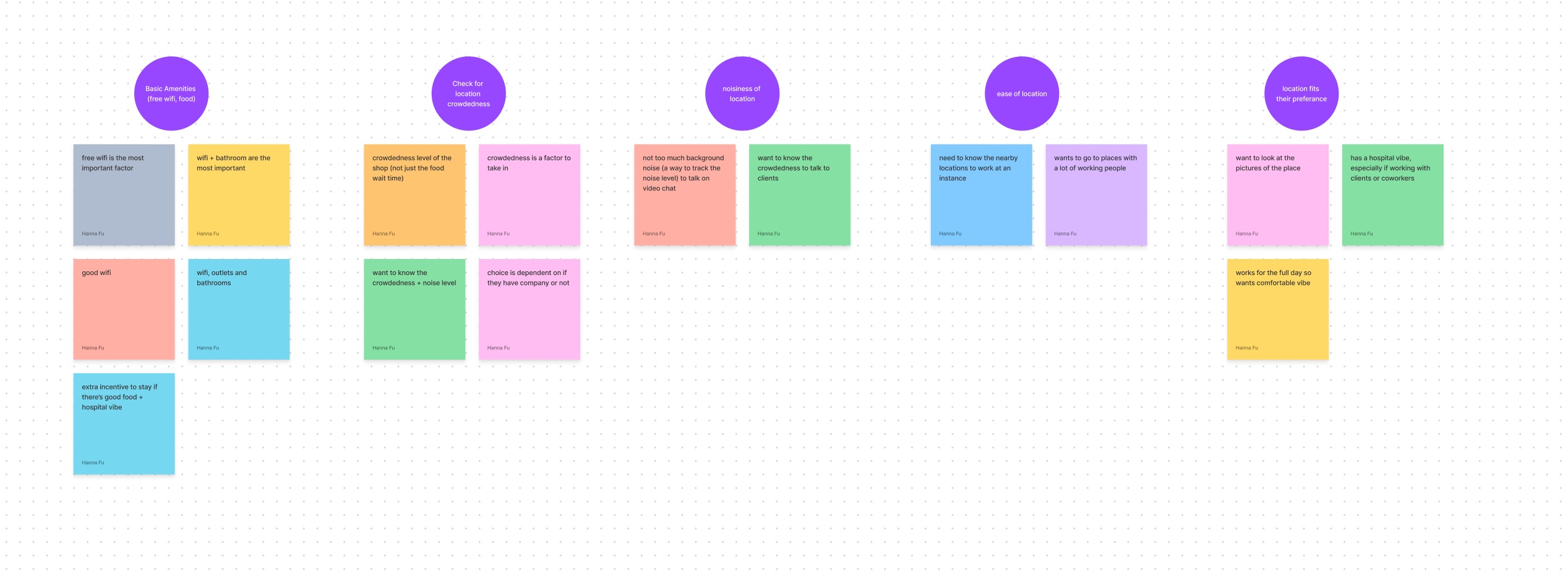
From this affinity map, some of the pain points that needed to be addressed were:
the lack of information on essential amenities, such as Wi-Fi or bathrooms, for each public work space
filtering out locations that have reached their max occupancy
hard to find closest public spaces near the user's current location
Persona
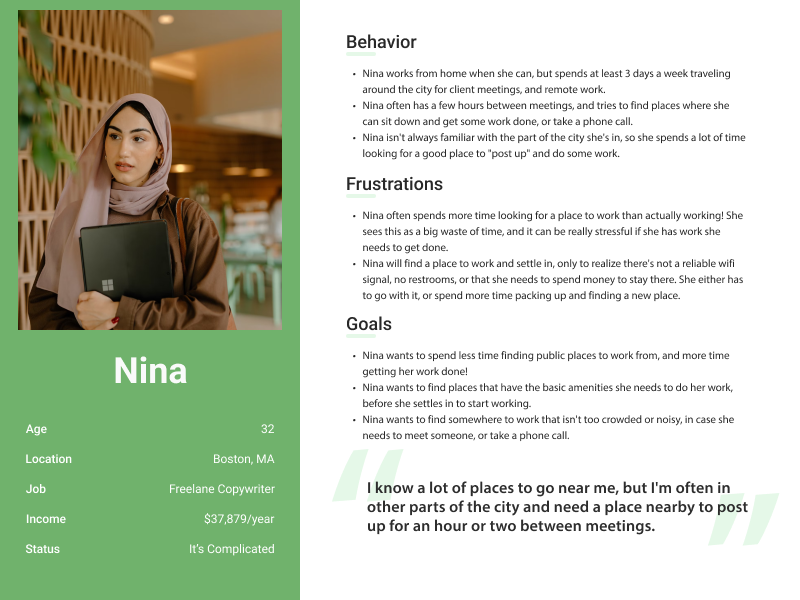
Using the insights from my affinity mapping and user research, I created a general persona in order to give myself a better understanding of what type of users needed the PostUp service.
How Might we...
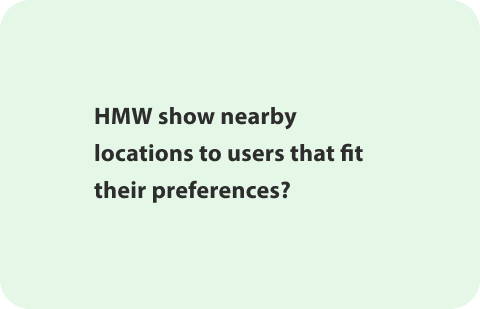
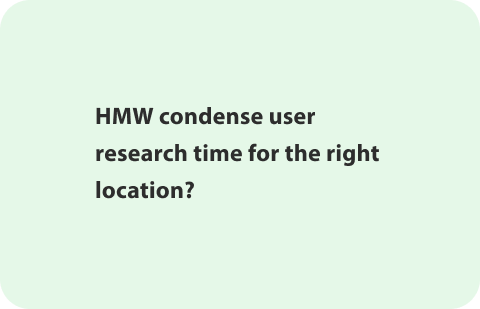
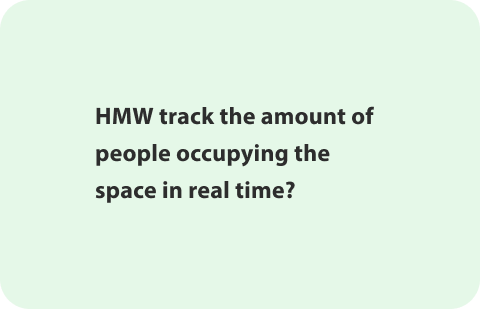
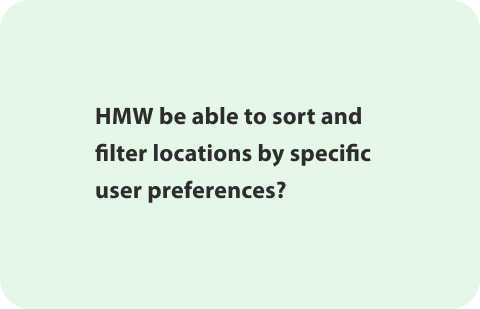
The culmination of my affinity mapping and personas lead to me synthesizing into How Might We questions. Since PostUp was looking for an app, my HMW's were focused on what the app would need to fulfill user needs. I would use these questions to generate solutions during the ideation phase.
User Flow
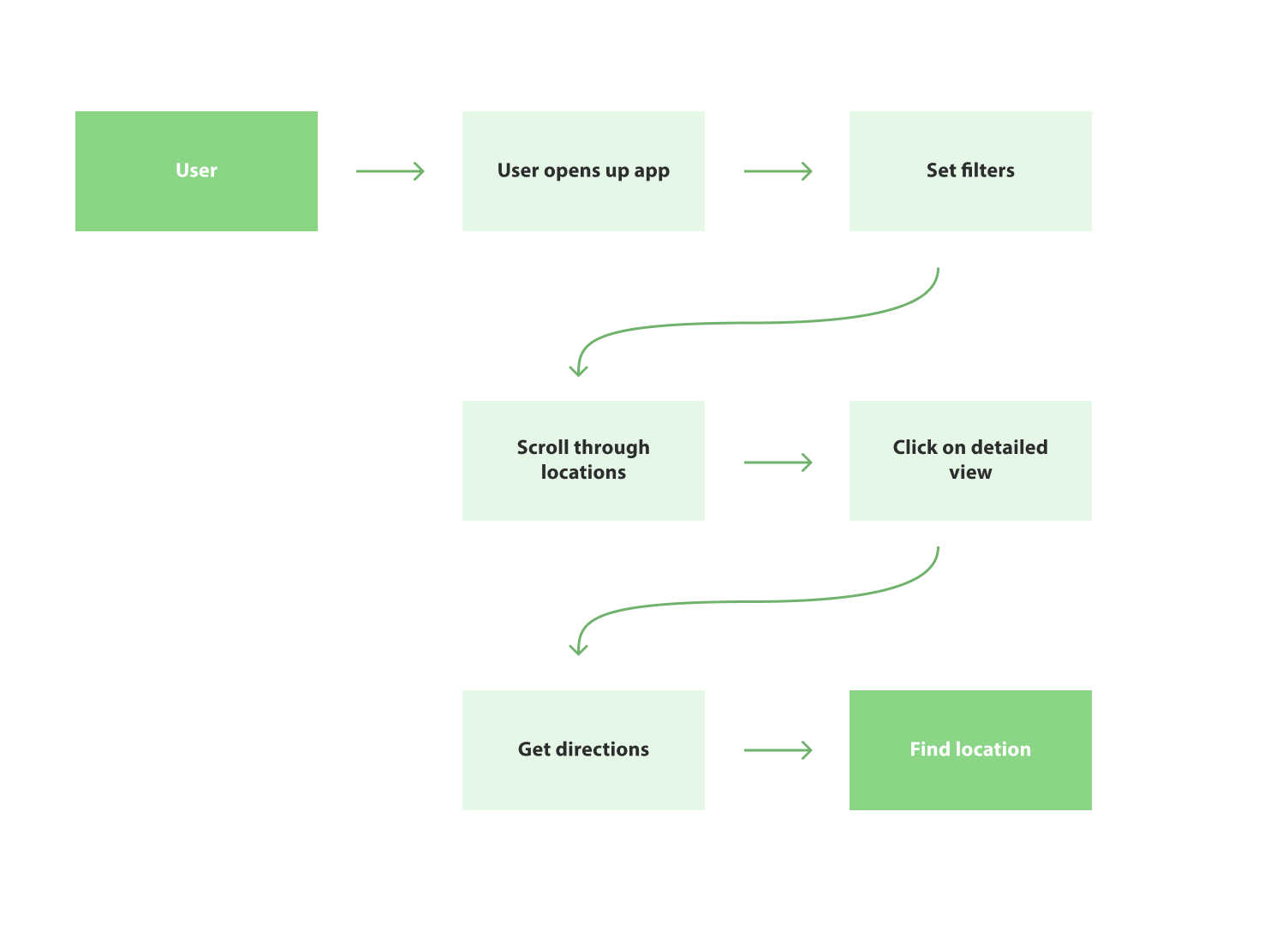
I ended the day off by constructing a basic user flow that framed the structure of my app, which would later help me when constructing my screens. For this flow, I wanted the flow to be about the user finding a public location that fulfilled their needs near their set location.
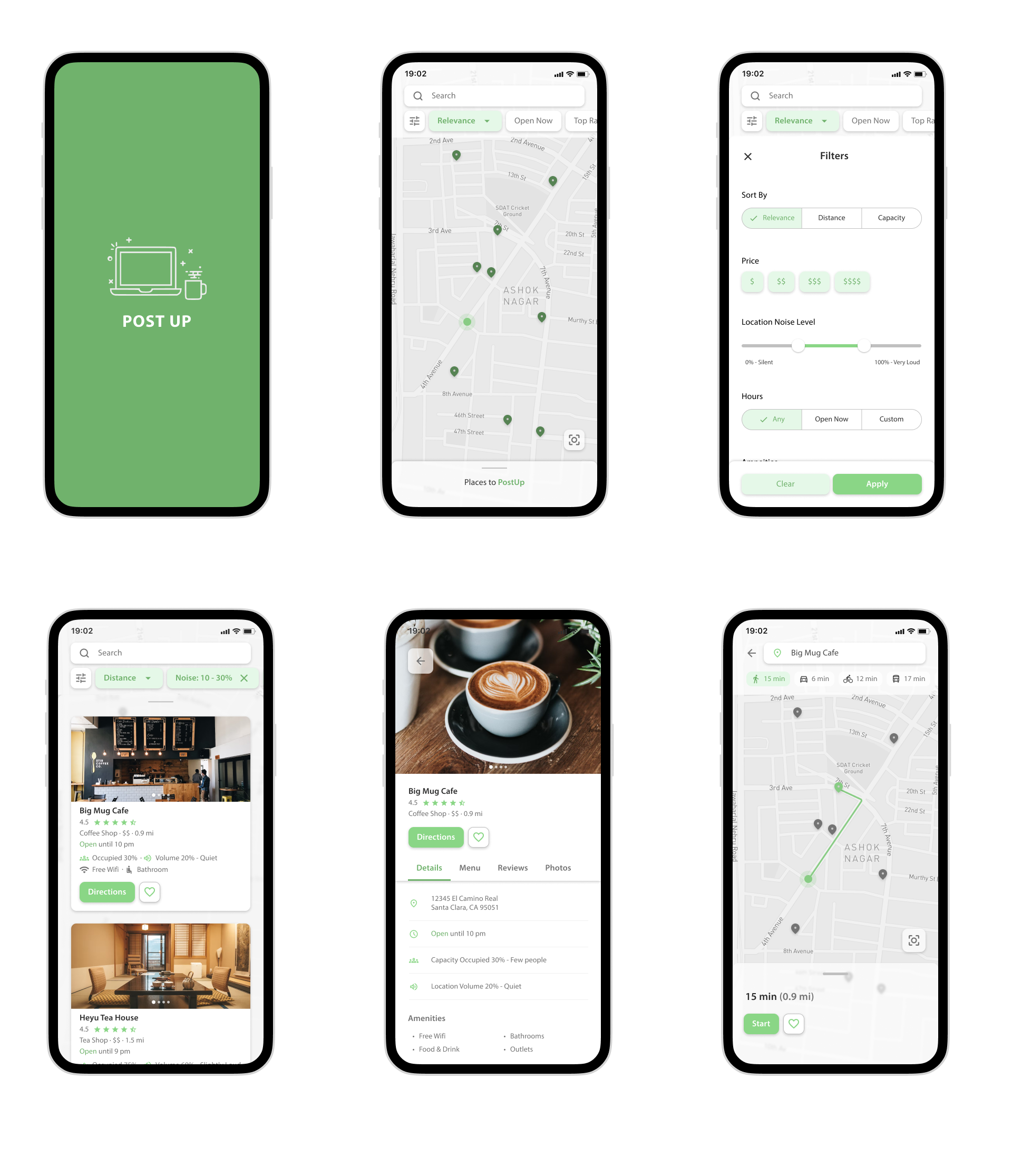
During this stage of the process, I wanted to implement a filtering system as each user had their own individual needs in terms of their ideal public workspace. I also envisioned that the app would implement sort of map functionality so users could see nearby locations.
Day 2: Sketching
Ideating to find the best solution possible
This day was mostly focused on sketching possible solutions. In order to gain inspiration, I did a lightning demo, analyzing recommendation apps that utilize the user’s location. Afterwards, I did Crazy 8’s to define a critical screen for the user: the list view where user’s can view all the different spaces. From these 8 sketches, I refined the one I liked the most to a hi-fidelity sketches.
lightning round

The app I personally used to find new spaces is Google maps, so I analyzed the UI of Google maps first. I then looked at apps with similar functionality such as Yelp and Airbnb in order to get more variations in UI. I found that apps implementing a map and a filter function fulfilled a lot of my user needs. Ultimately, I found a lot of useful references, such as having filters, an easy to navigate map, and a sortable list that tells the users relevant spaces.
crazy 8's
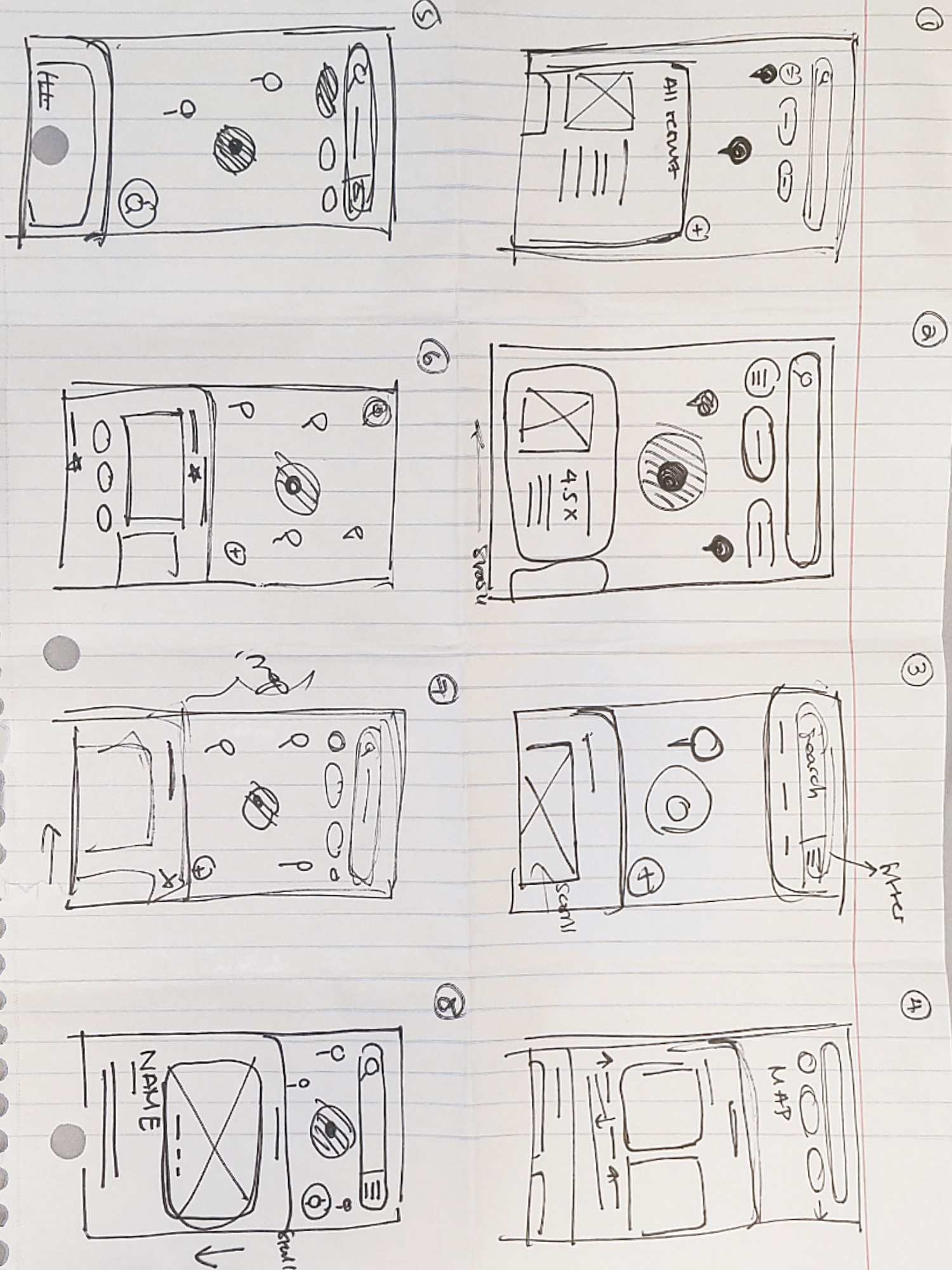
After deciding my most critical screen, which would be the screen that showcases all the locations nearby, I decided to ideate on different screens with the Crazy 8s method. A lot of my ideas were very inspired by my lightning demo, with a lot of the UI components being very to Google Maps and Airbnb. I wanted the app to be as familiar with users as possible while also being unique. There was also the added benefit of being easy to design!
Day 3: Storyboarding
A visual representation of the user flow
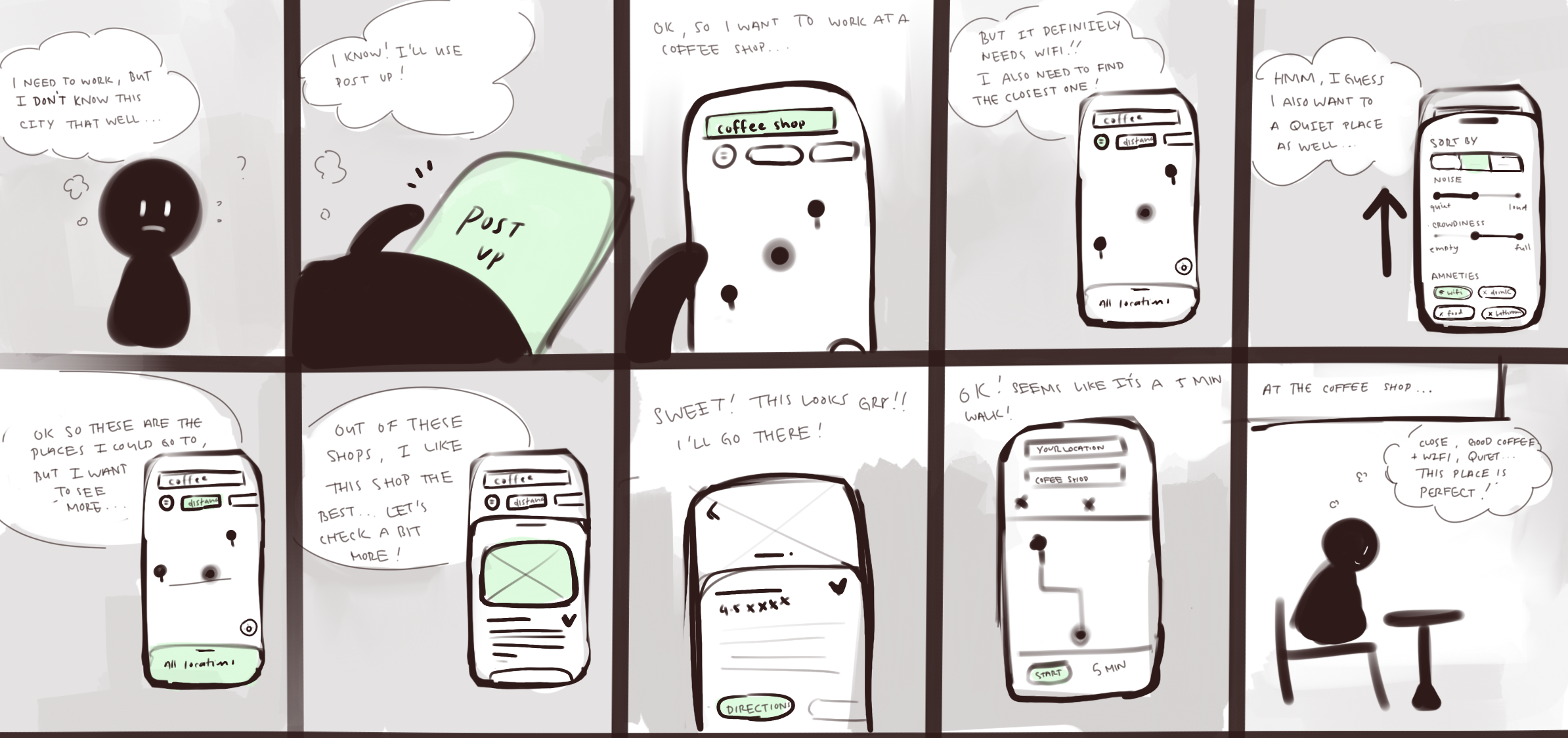
To give myself structure when building my prototype, I drew a storyboard that detailed the main flow that user might take when going on the app. Here, I fleshed and finalized UI components and gave myself a visual understanding of how the user might interact with the prototype.
Day 5: Testing
Fixing the usability issues
The last day was dedicated to user testing. I interviewed 5 participants at public work spaces and gave them a task to test my prototype to see how effective my prototype was. Since this was my first time testing the prototype, I was concerned on how natural the user flow was.
Task: Find the closest space that is relatively quiet, has free wifi and bathrooms. Whenever you click/interact with anything, please say what you are thinking out loud.
results
Intuitive flow, but UI and language was unclear
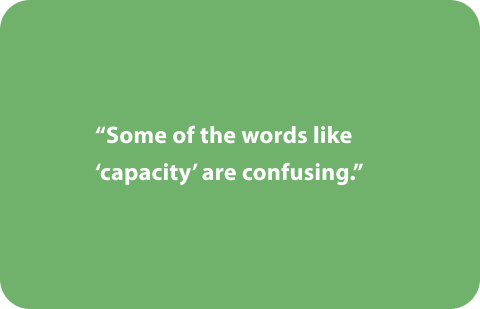
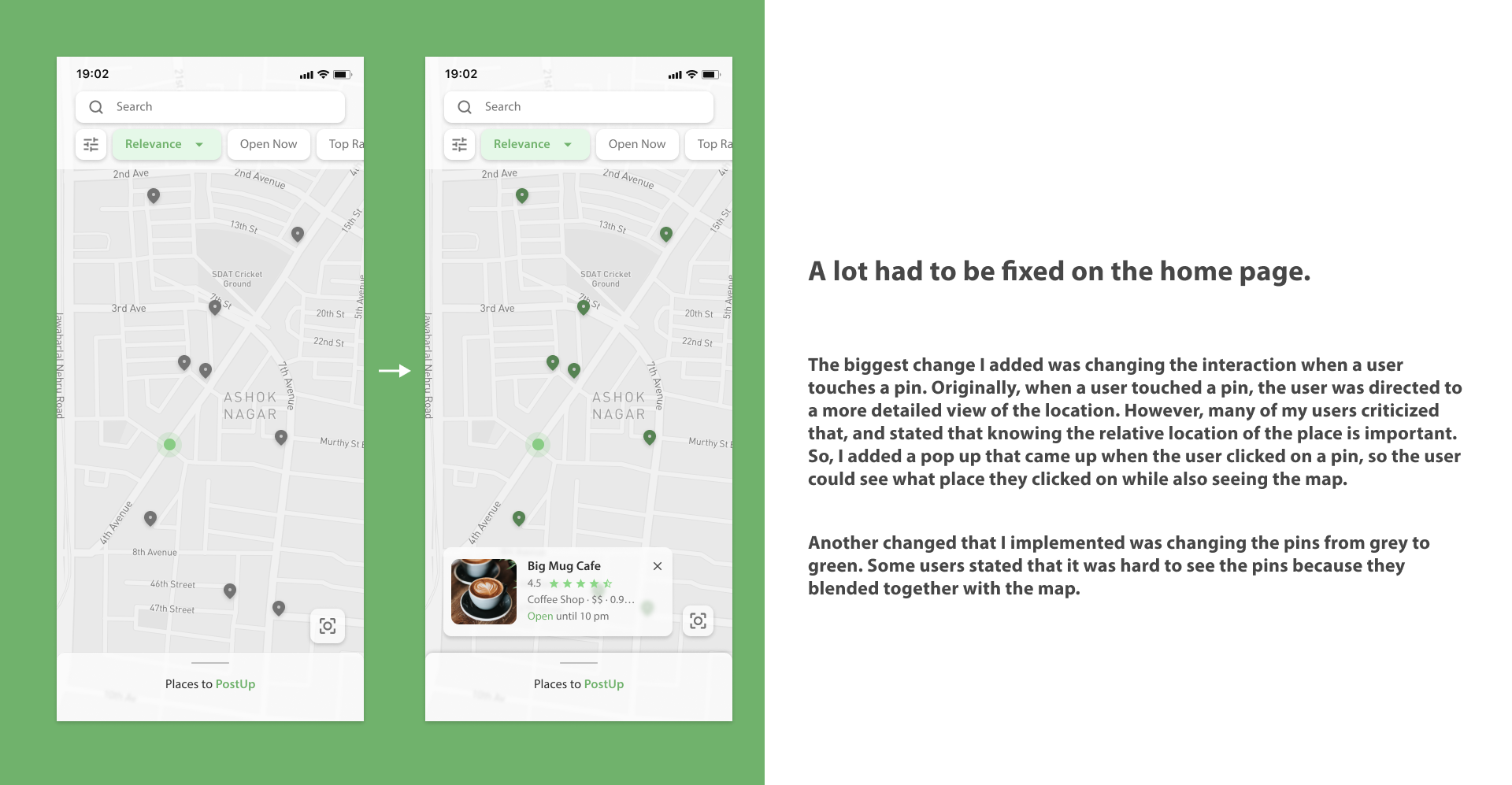
Since I spent only a day on the prototype, I wasn't shocked that my users had issues with my prototype. Although users had no issues completing my tasks due to the familiar interface, some users had difficulty in processing information stemming from misleading wording or lack of interactions.
I also had to adjust some of the visual elements, such as tweaking the UI and changing the iconography.
reflections
Design sprinting is way harder than expected!
Going into the design sprint, I was excited. I felt like I could easily finish it in 5 days and it would be a fun experience. Unfortunately, that wasn't the case. It turned out that designing for 5 days straight was extremely exhausting. I had to take a couple days of break in the middle, especially as it was during the holidays. However, the end was super fulfilling because I crafted something that I was proud of in 5 days!
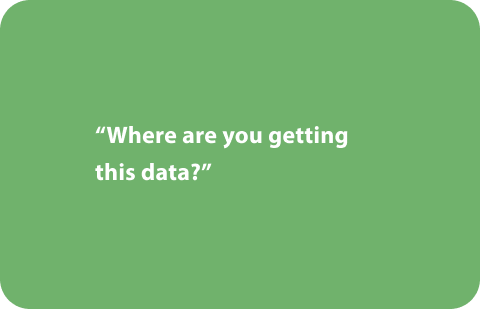
One interesting thing was hearing some of the users doubt where I get the noise and capacity levels from. They questioned how the developers would get real time data from the stores and then showcase this data in the app. Furthermore, one user questioned how trustworthy these metrics would be. This got me thinking about how often UIUX designers often implement features that are difficult to achieve for backend developers. Moving forward, I want to implement features reliable fetch real time data and display the data in a trustworthy way.
Overall though, it was a fun experience and I would love to do something like this again!